Best AI product image generators in 2026 — with the prices everyone leaves out
We checked all five on the vendors' own pricing pages on 29 August 2026. Two of them did not survive the check: one has served an expired certificate since February, the other's domain no longer exists.
CG
Channel Grow
Aug 2026—7 min read
Every roundup of AI product image tools has the same hole in it: no prices. You get five tools, a ranking, a lot of adjectives, and then you go to the pricing page yourself to find out what any of it costs. So this one starts with the prices.
Three tools, checked on 29 August 2026 against each vendor's own pricing page. Prices below are what the page said that day.
The short answer
Tool
Free tier
Cheapest paid
What you get for it
Status
SnapFusion
10 credits at signup
$9 one-time
200 credits, no expiry, 69 tools
Live
Pebblely
None
$9/mo
30 images/month
Live
SellerPic.ai
20 credits
$29/mo ($14.50 on annual)
200 credits/month
Live
If you want the one-line version: SnapFusion is the cheapest honest way to try this, because $9 buys credits that never expire instead of starting a subscription clock. Pebblely is the pick if you want a tool that does one thing. SellerPic is the most feature-complete and the most expensive, and its advertised price is not the price you pay monthly — more on that below.
What these tools actually do
An AI product image generator takes a photo of a thing — ideally on a plain background — and puts it somewhere else. A bottle on marble with morning light. A pair of trainers on wet pavement. The product pixels stay; the world around them is generated.
That is a narrower job than "AI image generator", and the narrowness is the point. A general model asked to draw your product will draw a product, confidently and wrongly, with your logo turned to soup. These tools mask the object and generate only around it, which is why they exist as a separate category despite general models being better at almost everything else.
What they do not do: they do not photograph a product you have not photographed. You still need one clean shot of the real thing. Anyone selling you "product photos with no product" is selling you a render, which is a different thing with different advertising rules attached.
Why a video creator would care
If you are here from the faceless-channel or UGC side rather than ecommerce, the use cases are narrower but real: thumbnail assets that need a product in them, B-roll stills for a review video, and the static frames in a UGC ad set where you are testing ten backgrounds against one hook. If what you actually need is the video ad rather than the still, skip this whole category and go to UGC & ad creatives instead — different tools, different price bracket.
The three, checked one by one
SnapFusion — $9 for 200 credits, and they don't expire
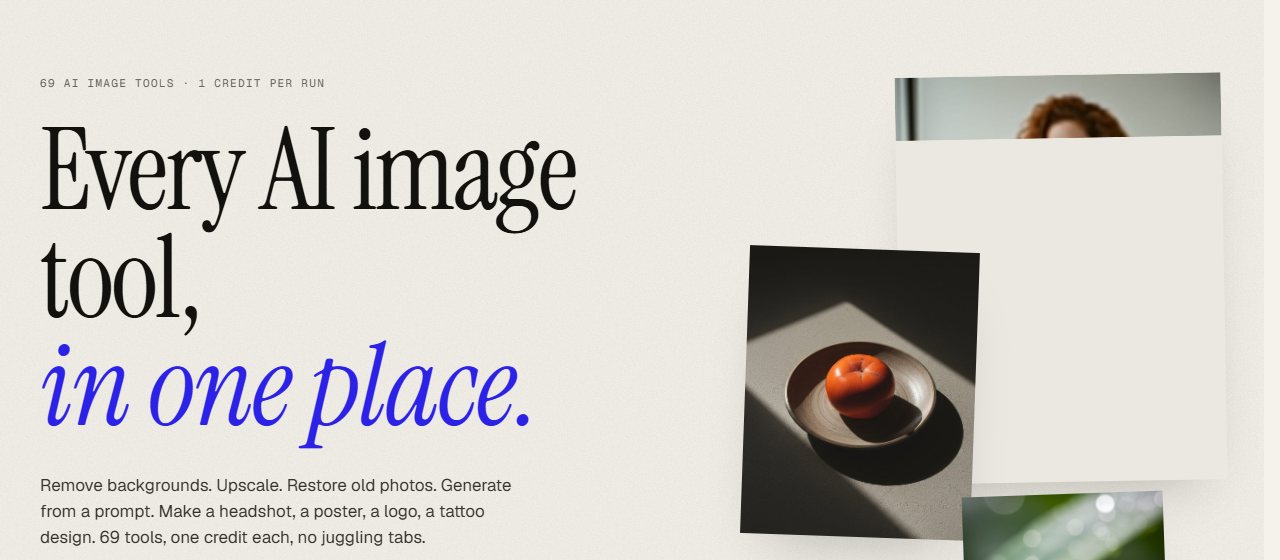
SnapFusion, 29 August 2026. Sixty-nine tools behind one credit balance rather than one tool behind a subscription.
SnapFusion sells credit packs rather than a subscription. Ten credits free at signup, then $9 for 200 credits or $29 for 1,000, one-time, with no expiry date. One credit is one run, on any of the 69 tools in the set — background generation, removal, upscaling, restoration, headshots — with no per-tool pricing table. Unused packs are refundable within 14 days; used credits are not.
The reason this ranks first is not that the output is the best. It is that the pricing model matches how most people actually use this kind of tool: in bursts, when a product launch needs images, and then not at all for six weeks. A monthly plan bills you through the six weeks. A credit pack does not.
Pebblely — $9/month, 30 images, no free tier
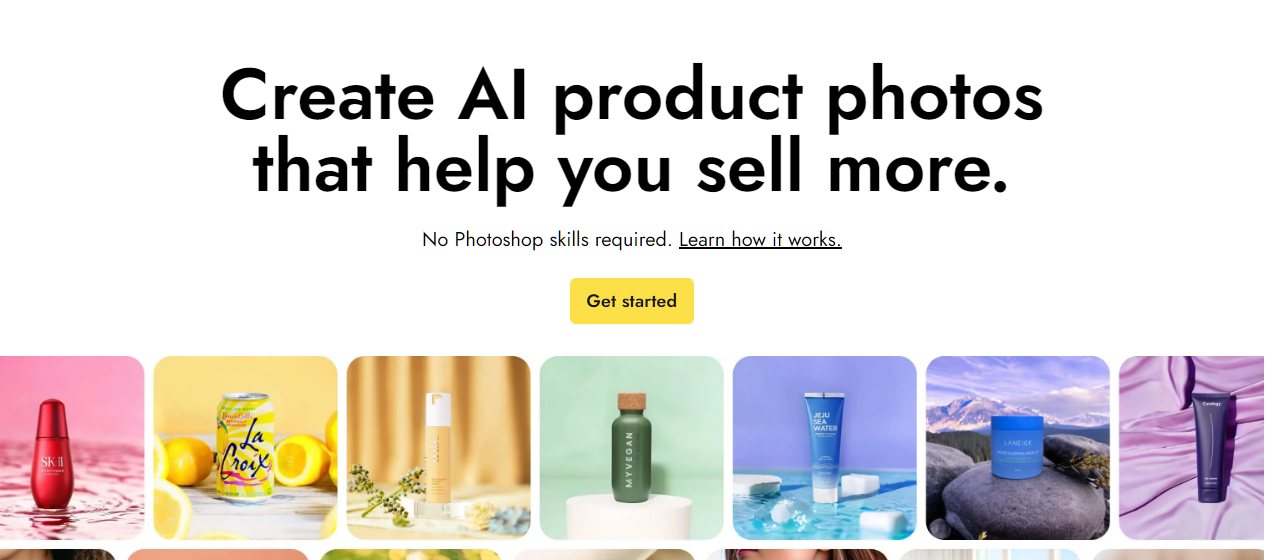
Pebblely, 29 August 2026. The row under the headline is the product: one flat product shot, many backgrounds.
Pebblely is the most focused of the group: backgrounds for product photos, 40+ themes, custom prompts. Three plans — Lite $9/month for 30 images, Basic $19 for 200, Pro $39 for 500 — with bulk generation on the two higher tiers and "2+ months free" on annual billing.
There is no free tier. That is worth saying plainly because most write-ups of Pebblely still describe one; it is not on the pricing page today. Thirty images for $9 is also tighter than it sounds once you account for the ones you throw away, and with this kind of tool you throw away most of them.
SellerPic.ai — the most complete, and the price is not what it looks like
SellerPic, 29 August 2026. The pitch is breadth — stills plus shoppable video — which is also where the price goes.
SellerPic is the one the other roundups put first, and on features they have a case: it goes past stills into short video, lip-sync, scheduled posting and batch processing, which none of the others attempt.
The pricing needs reading carefully. The page leads with $14.50, $39.50 and $49.50 for Starter, Growth and Advanced. Those are annual-billed rates shown at "50% off". Paid monthly, the same plans are $29, $79 and $99. Starter includes 200 credits a month — the same allowance SnapFusion sells once for $9 — and there is a free tier at 20 credits. The 3-day trial requires a bank card.
None of that makes it a bad tool. It does make the honest comparison "$29/month, or $14.50 if you commit for a year", and that is not the number you will see quoted elsewhere.
The cheaper answer most creators should consider first
Specialist product-photo tools solve the masking problem. If your product is a simple shape on a plain background, a general image model plus twenty minutes of prompting will get you there for less, and the model will be useful for the other nine things you need this week.
From our directory, with the prices we have on file:
Adobe Firefly — from $4.99/month, and the one with the clearest commercial-use position
Ideogram — from $7/month, notably better than most at legible text in an image, which matters for packaging
Midjourney — from $10/month, best-looking output, least controllable
Canva — free tier, and already has the background remover and the layout tools around it
The honest split: use a specialist tool when the product must stay pixel-accurate — a label, a logo, a specific colourway. Use a general model when the product is a prop in a scene and nobody is going to compare it to the real thing.
How to choose, in the order that matters
Check the billing model before the feature list. Credits that expire monthly and credits that don't are different products at the same price.
Find out what a credit buys.One credit is rarely one usable image. Assume you keep one in four.
Read the commercial-use terms. Several tools restrict commercial use to paid tiers. If you are running ads, the free tier is often not licensed for it.
Test with your worst product photo, not your best. Every tool handles a clean studio shot. The differences show up on a phone photo with a shadow.
Check the site loads. Evidently this is not a joke.
Questions people actually ask
Which is genuinely cheapest?
SnapFusion, and not narrowly: $9 buys 200 non-expiring credits against Pebblely's 30 images a month or SellerPic's 200 credits a month for $29. If your usage is occasional, the gap widens every month you don't use it.
Is there a good free option?
Not really, within the specialist tools — 10 or 20 starter credits is enough to evaluate and not enough to work with, and Pebblely has no free tier at all. If free is the constraint, a general model with a free tier will get you further.
Can I use the images in paid ads?
Usually on paid plans, often not on free ones, and it varies by tool. Check the licence for the specific plan you are on rather than the vendor's general marketing. This is the single most common way creators get this wrong.
Do these replace a photographer?
For backgrounds and variations, largely yes. For the base photograph of the product, no — you still need one real, well-lit shot, and the quality of that shot sets the ceiling for everything generated from it.
Why do other roundups rank these differently?
Often because the ranking follows the affiliate programme rather than the product. That is not an accusation about any specific post; it is a reason to check the prices yourself, which is why they are all in the table above with the date we checked them.
How we checked this, and what we earn
Every price above was read from the vendor's own pricing page on 29 August 2026, not from a directory listing or another article. Where we could not verify something, the piece says so rather than filling the gap.
Two tools that appear in most current roundups are not in ours, because we could not reach either: ZMO.AI has served an expired certificate since 19 February 2026, and ShotRate AI's domain no longer resolves at all. We check that a tool loads before we write about it.
We have no commercial relationship with SellerPic.ai, Pebblely or SnapFusion, and no affiliate link to any of them — the links in this article are plain links. Some tools in our directory do pay us a referral commission, and where that is the case it is marked on the tool's own page. It does not affect placement or rating. Our full position on this is on the about page.
Prices in this category move constantly. If you find one of these out of date, tell us — a correction is the fastest way to make this page worth reading.